Getting Started with Engain Dedicated Account
Setting up your first Dedicated Account takes about two minutes. We handle the rest. By the end of this article, you'll have your own Reddit account warming up, and you'll know exactly how to post from it once it's ready.
Written By Alvin
Last updated About 18 hours ago
Before you start:
You'll need an Engain project set up with your website and business description. We use it to pick the right topic and subreddits for your account.
Pro and Max plans include one account at no extra cost. On Lite, or for extra accounts, it's $79 a month. See Dedicated Accounts pricing for the details.
New to Dedicated Accounts? Read What are Engain Dedicated Accounts? first.
Step 1: Open Dedicated Accounts
In the left sidebar, click Dedicated Accounts, then Accounts. If this is your first one, you'll see a short intro. Click Add your first account.
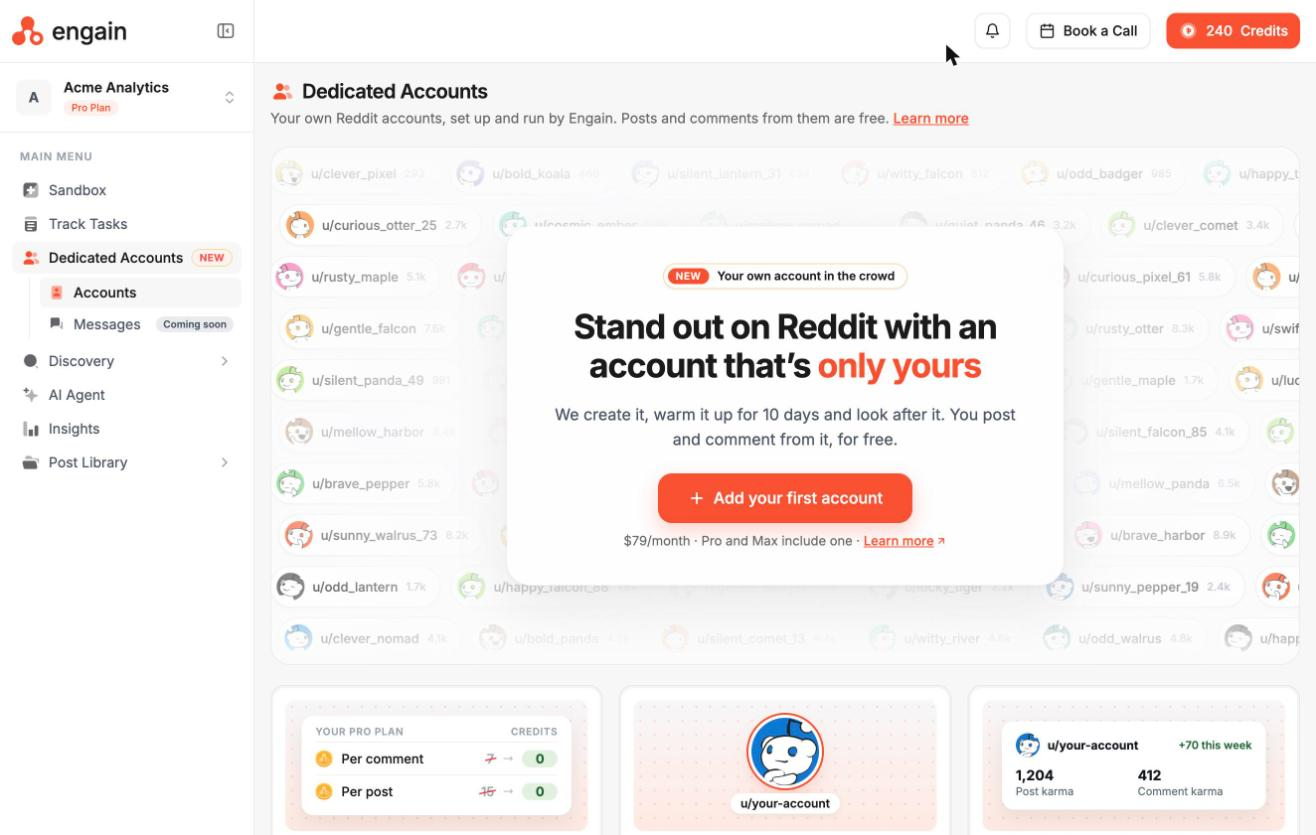
Already have an account? Click Add account in the top right instead.
Here's the whole setup at a glance. We'll go through each step below.
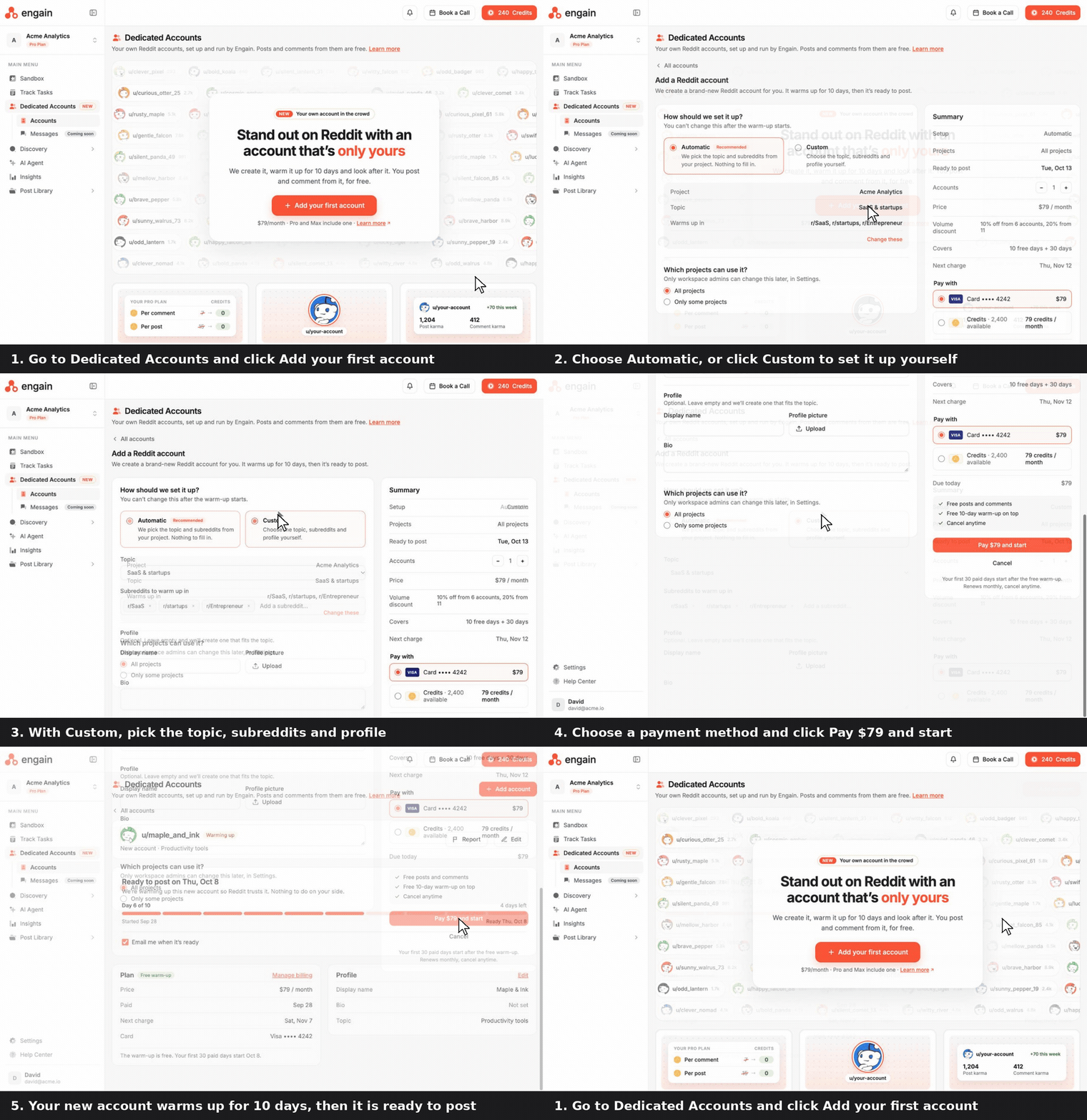
Step 2: Choose how to set it up
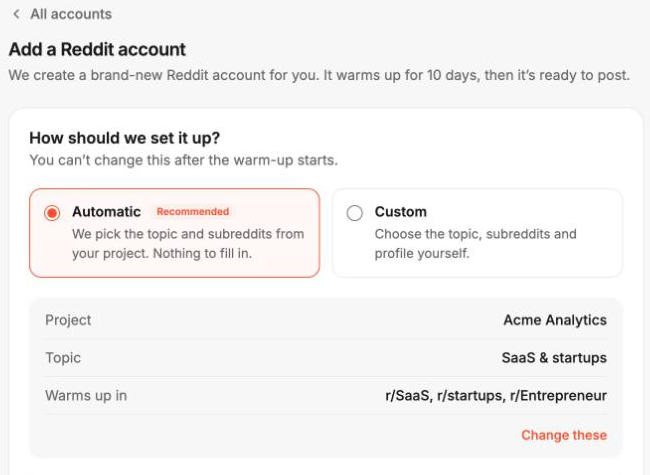
This decides who your account is, so take a moment here. You can't change this choice once warm-up starts.
Automatic (recommended). We pick the topic and subreddits based on your project. There's nothing to fill in. You'll see a preview of the project, topic and subreddits it will warm up in. Click Change these if something looks off.
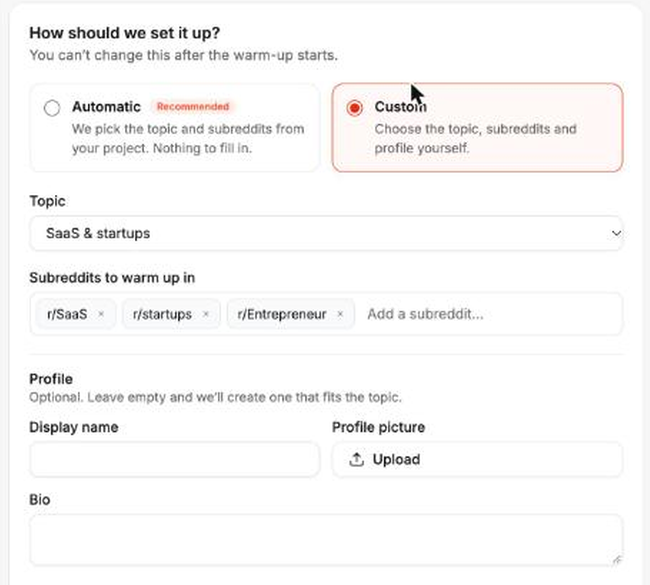
Custom. You choose everything yourself:
Topic: the subject the account is known for, like SaaS & startups
Subreddits to warm up in: type a subreddit and press Enter to add it, or click the x to remove one
Profile (optional): a display name, profile picture and bio. Leave these empty and we'll create a profile that fits the topic.
Not sure which to pick? Go with Automatic if you want to get going fast. Choose Custom if you already know the exact communities you want to show up in, or you want the profile to match your brand from day one. Either way, you can edit the profile later.
Step 3: Choose which projects can use it
Under Which projects can use it?, pick:
All projects: anyone in your workspace can post from this account, in any project.
Only some projects: limit it to the projects you choose. This is useful for agencies running several brands, so each account only ever speaks for one of them.
Only workspace admins can change this later, under Settings > Dedicated Accounts.
Step 4: Review the summary and pay
The Summary panel on the right shows everything before you pay:
Setup, Projects and Ready to post: your choices, and the date the account will be ready
Accounts: use + and - to add more than one at once
Price and Volume discount: the monthly price, and the discount if you add several
Covers and Next charge: your free 10 days of warm-up plus 30 paid days, and when you'll be charged next
Under Pay with, choose your card on file or pay with credits (79 credits a month). Then click Pay $79 and start. If the account is included with your Pro or Max plan, there's nothing to pay.
Your first 30 paid days only start after the free warm-up, and you can cancel anytime.
Step 5: Let it warm up for 10 days
A brand-new Reddit account that starts posting about a product right away looks like spam. So for the first 10 days, we build up the account's history in its subreddits, the way a real person would. There's nothing for you to do.
Open the account to follow along. You'll see:
A progress bar, like Day 6 of 10, and the date it will be ready
An Email me when it's ready box, so you don't have to keep checking
The Profile card, with the display name, bio and topic
While it warms up, the account shows as Warming up on your Accounts page, and you'll see it greyed out in the account dropdown with its ready date.
Step 6: Post your first comment
Once warm-up ends, the account turns Active and it's ready to go.
Find a thread you want to reply to, or open the Sandbox.
Write your comment or reply, or generate one with Engain AI.
Click the account dropdown next to it.
Under Your dedicated accounts, pick your new account. It's marked Free, and the cost on that reply changes to Free.
Post it now or schedule it for later.
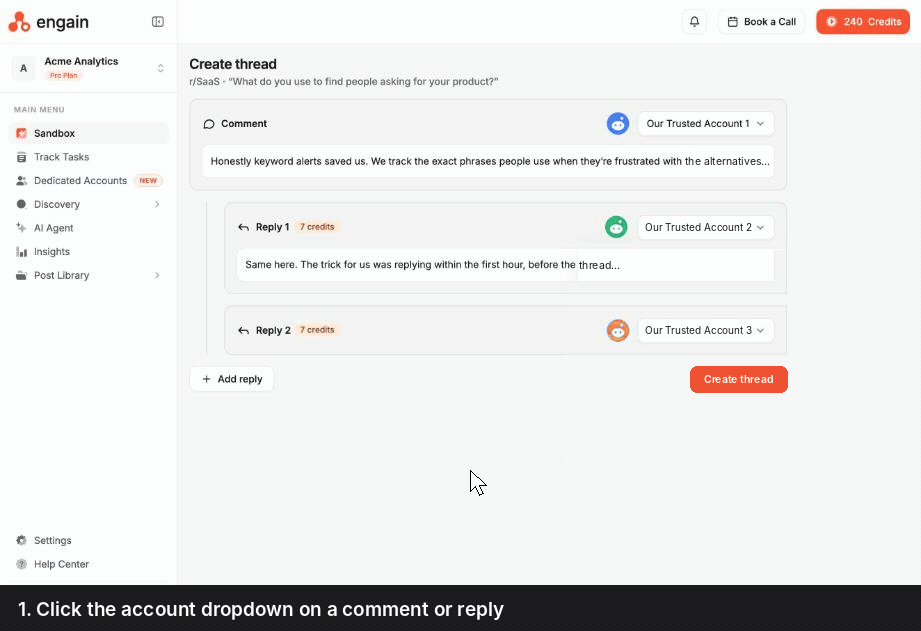
You can also click Create a thread right from the account's page.
To keep the account safe, we space its comments about 6 hours apart.
Optional: build karma before you post
Planning to post in bigger subreddits? Many of them only allow accounts above a certain karma, and posts from low-karma accounts get flagged or removed. Karma building grows your account's karma first, for free.
Open the active account and scroll to Karma building.
Drag the How long? slider to anywhere from 3 to 30 days. The chart shows the karma you can expect by the end date.
Check the markers (100+, 500+ and 1,000+ karma) to see which subreddit minimums you'll reach.
Click Start building.
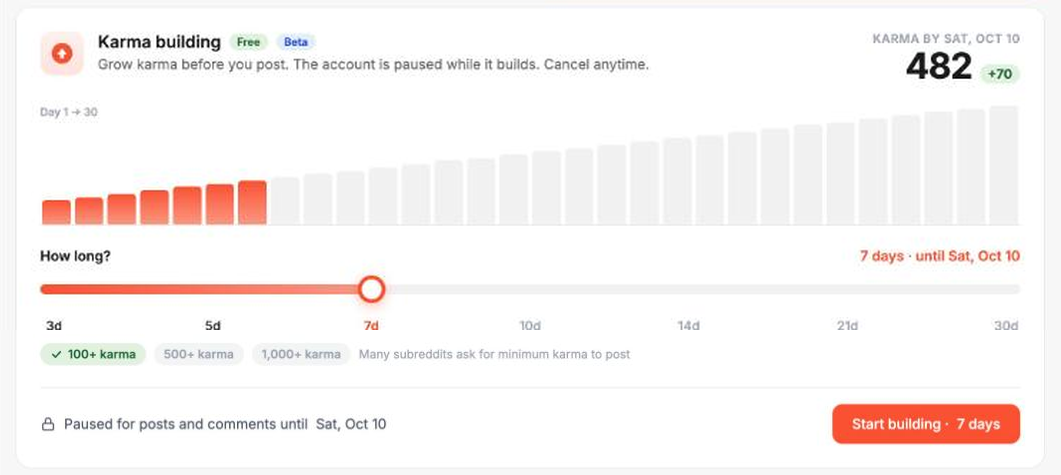
The account is paused for posts and comments until karma building ends. Need it sooner? Click Cancel karma building and you can post right away.
How your first two weeks looks
Day 1: Add your account and turn on Email me when it's ready.
Day 10: Warm-up ends. Decide if you need karma building for the subreddits you're targeting.
First post: Pick a thread where your product is a natural fit and reply from your dedicated account.
After a week of posting: Check Track Tasks and filter by Posted by to see how your account's posts are doing.
Want a hand setting up? Click Book a Call at the top of Engain and we'll walk you through it.
Was this helpful?
Still need help? Ask the team