Posting from your Dedicated Account
Written By Alvin
Last updated About 18 hours ago
Posting from your Dedicated Account works just like posting anywhere else in Engain. You write your comment or reply the same way. The only difference is which account you pick, and when you pick your own, that post or comment is free.
Your account needs to be Active before it can post. If it's still warming up or building karma, see the troubleshooting table below.
Three ways to start
Pick whichever fits how you work:
From an opportunity. Find a thread in New Opportunities, SEO Opportunities or Smart Search, write or generate your reply, and choose your account before you post.
From the Sandbox. Paste any Reddit link, choose to add a comment, reply or create a thread, and pick your account.
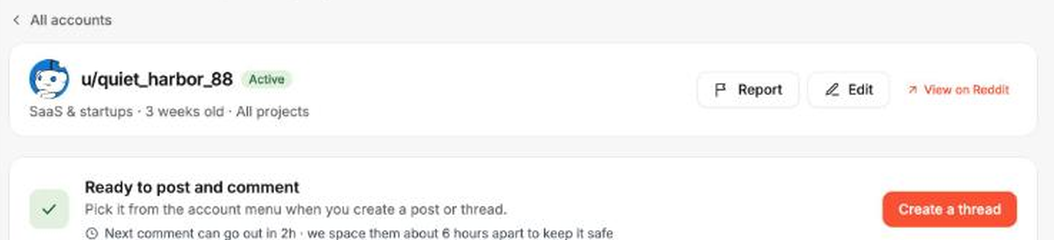
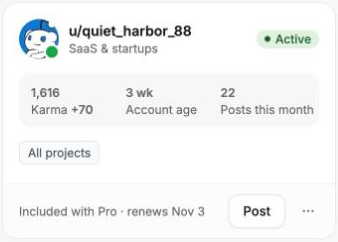
From the account itself. Open the account and click Create a thread in the green Ready to post and comment banner. Or click Post on the account's card on your Accounts page.
Pick your account
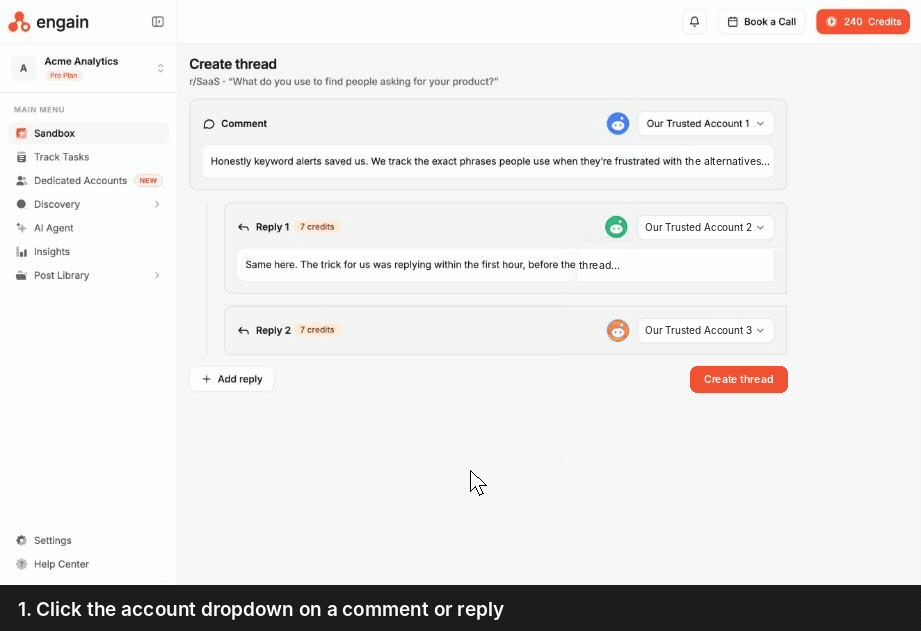
Every comment, reply and post in the thread builder has an account dropdown next to it.
Click the account dropdown.
The top of the list shows the Engain pool. Below it, under Your dedicated accounts, you'll see your own accounts.
Pick your account. It's marked Free, and the cost on that comment or reply changes from credits to Free.
Post now, or schedule it for later.
Need another account? Click Add dedicated account at the bottom of the dropdown to set one up without leaving the page.
Replies in the same thread
If the first post or comment in a thread comes from your dedicated account, you can't add more replies under it in that same thread. To build a back-and-forth, start the thread from an Engain pool account and pick your dedicated account for a reply instead.
Timing
Comments are spaced about 6 hours apart. Real people don't post ten times an hour, so we pace each dedicated account to keep it safe. If you queue up several at once, they'll go out in order as each slot opens.
You can schedule ahead. Choose Schedule for later to pick a time. Scheduled posts show as Scheduled in the account's recent activity and in Track Tasks.
No shared queue. Your dedicated account only takes your requests, so you're never waiting behind other customers.
Why can't I pick my account?
See what your account posted
Everything your account posts shows up in Track Tasks. Use the Posted by filter to see just one account's activity. Tasks from a dedicated account show its avatar next to the task ID, and the Cost column reads Free.
You can also see the latest few posts on the account's own page, under Recent activity. Click View in Track Tasks to see everything.
Was this helpful?
Still need help? Ask the team