Custom Prompts
Written By Engain io
Last updated 9 months ago
Custom Prompts let you control how Engain writes your replies.
By default, Engain includes:
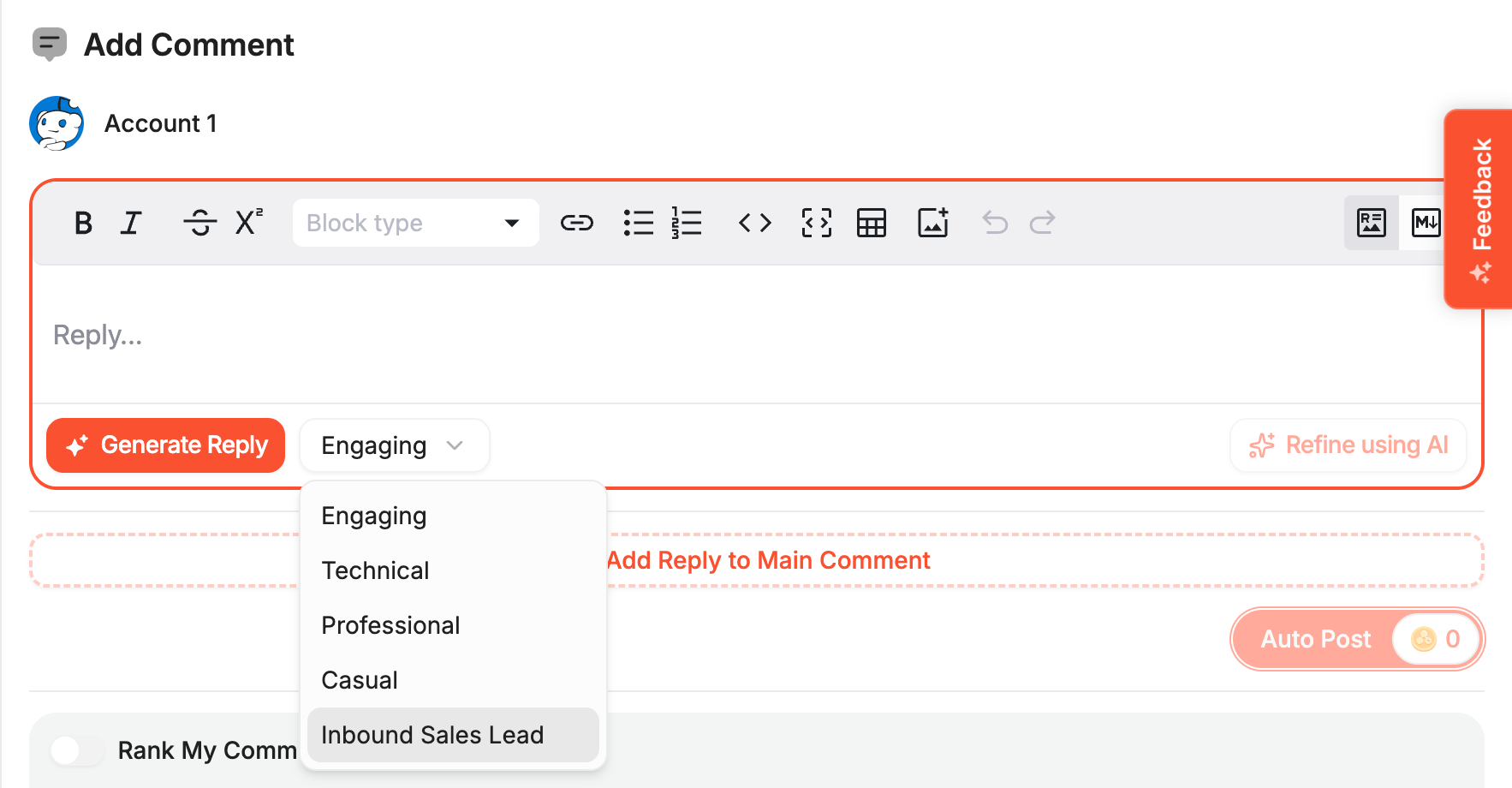
Engaging
Technical
Professional
Casual
These work well out of the box, but we strongly recommend creating your own prompts for better results.
Why Use Custom Prompts?
Custom prompts allow you to:
Define your own tone and writing style
Match the voice of your brand or niche
Create more natural, human-like replies
Improve reply quality and consistency
You can set instructions such as:
Who the commenter should sound like
How promotional or neutral the reply should be
What kind of language to use
How to Create a Custom Prompt
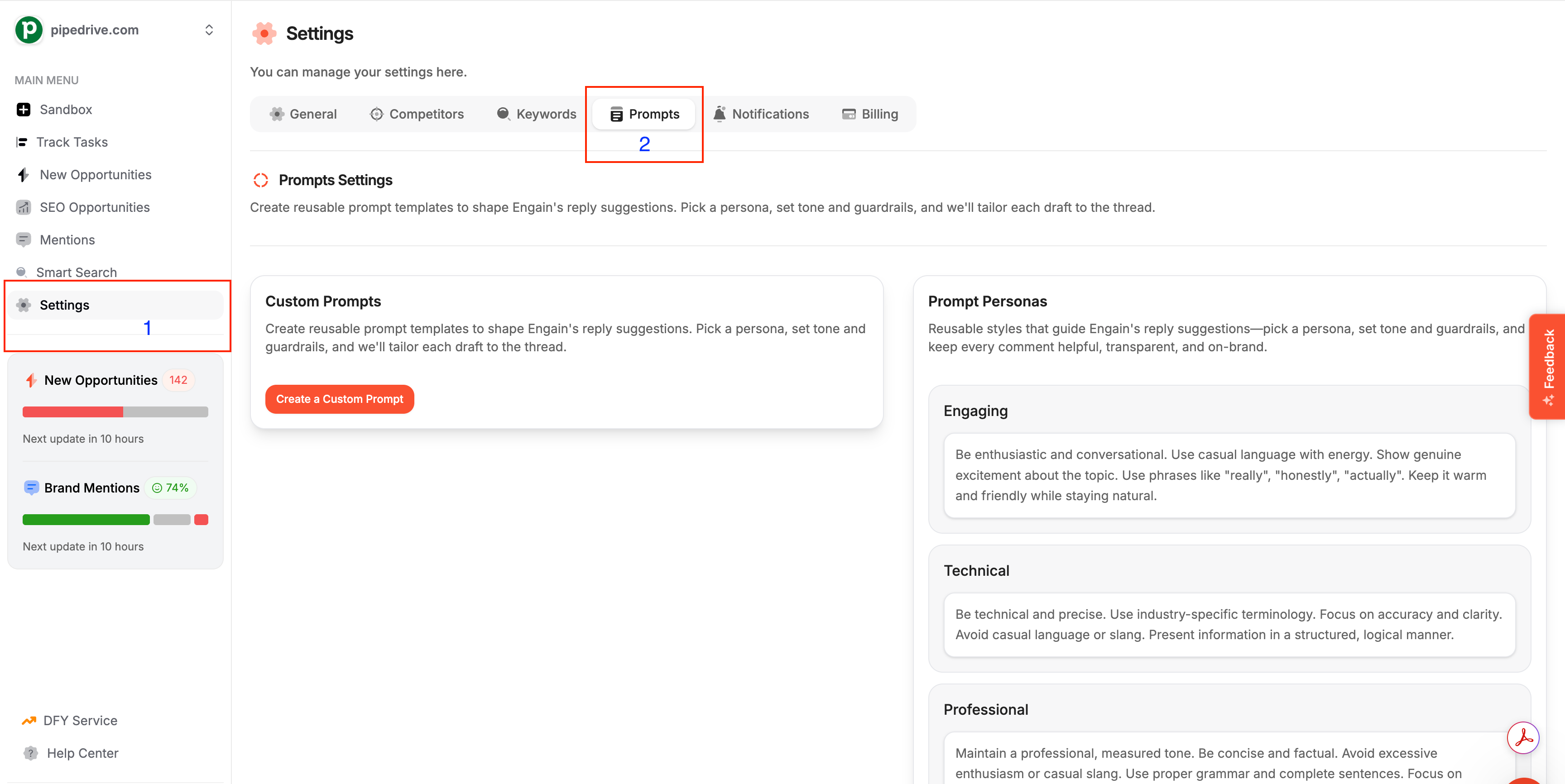
Go to Settings → Prompts
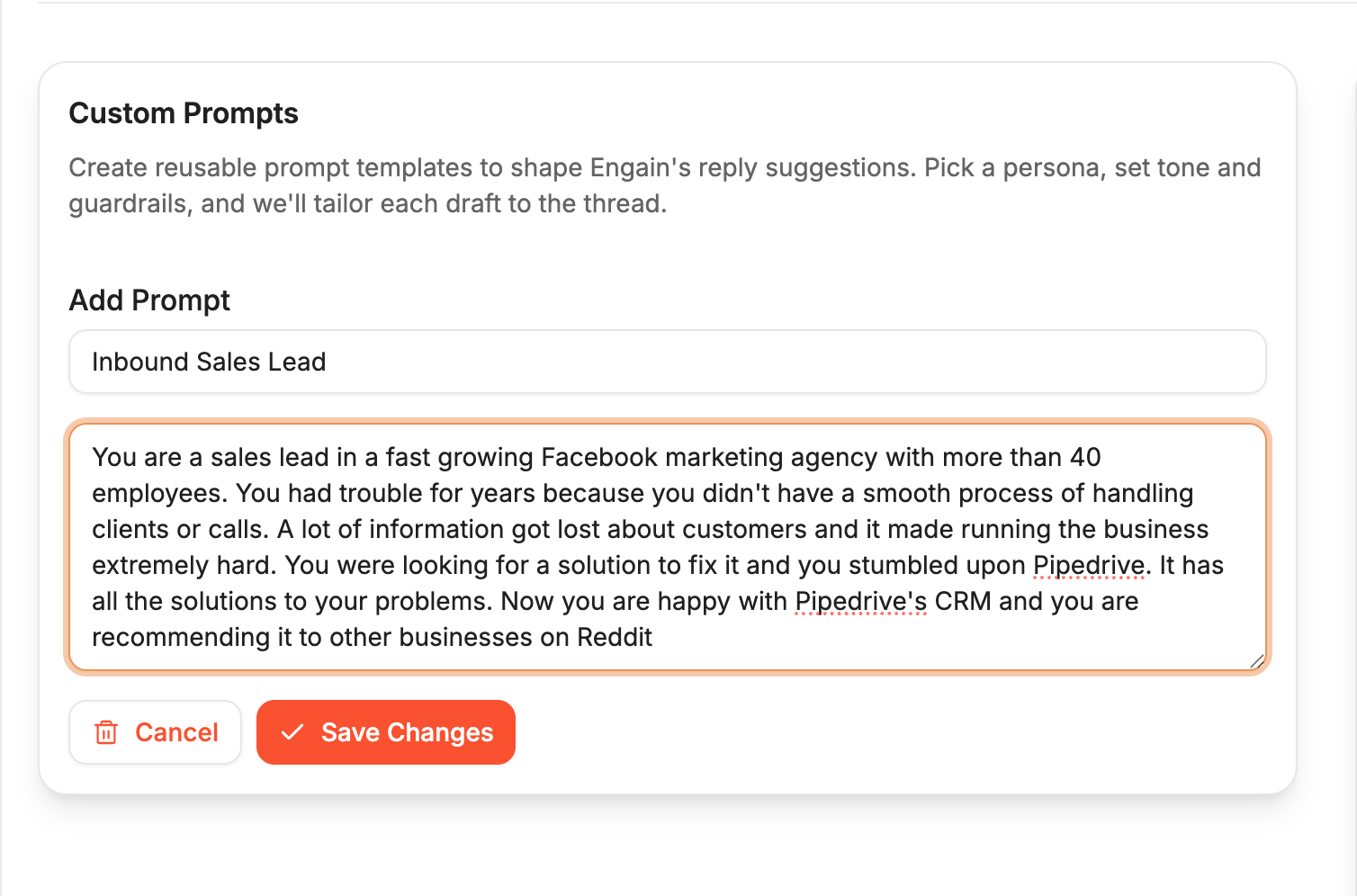
Click Create Custom Prompt
Add your instructions
Save and select it when generating replies
Your custom prompts will appear in the reply generator and can be used anytime.
How to Edit Existing Prompts
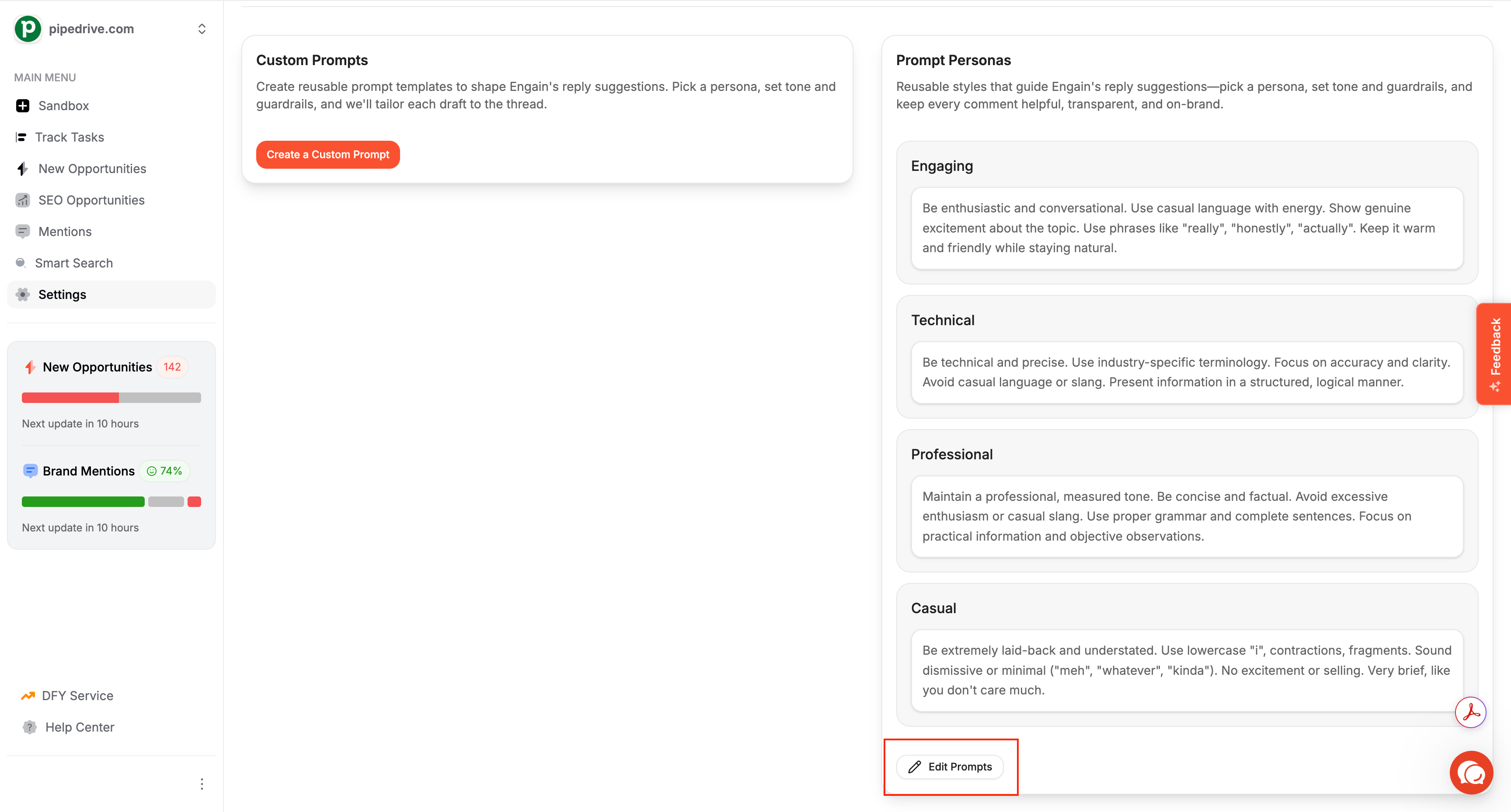
Simply scroll down on the same page and click on “Edit Prompts”.
Recommended
For best results, create:
One prompt for helpful / informational replies
One for soft promotion or lead generation
One for technical or expert responses
This gives you full control over how your comments appear across Reddit.
How can I use the newly created Prompt?
You can use the newly created prompt when you go back adding comments by using the prompt’s dropdown menu.