How to assign a reply to the OP of a post / comment thread?
Written By Engain io
Last updated 7 months ago
Sometimes after you place a comment through Engain, real Reddit users will reply to it. Maybe they're asking a follow-up question, sharing their own experience, or engaging with what you said. This is a great sign because it means your comment looks natural and is generating real conversation.
When this happens, you can reply back using the same account that posted the original comment. This makes the conversation look completely authentic because the same "person" is continuing the discussion.
Here's how to do it:
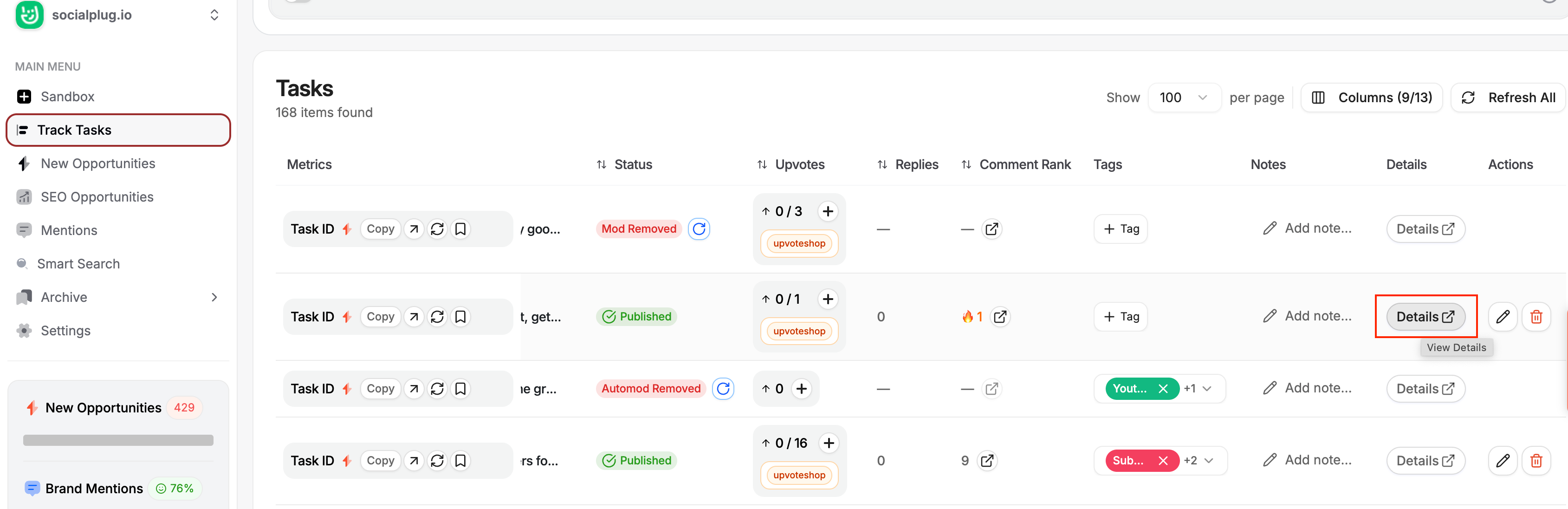
Go to Track Tasks in your dashboard
Use the search bar to find the specific comment you want to reply to
Click Details on that task
Inside the task details, you'll see a Replies section showing all the replies your comment has received
Find the reply you want to respond to and click the "Reply as OP" button next to it
Write your reply and submit
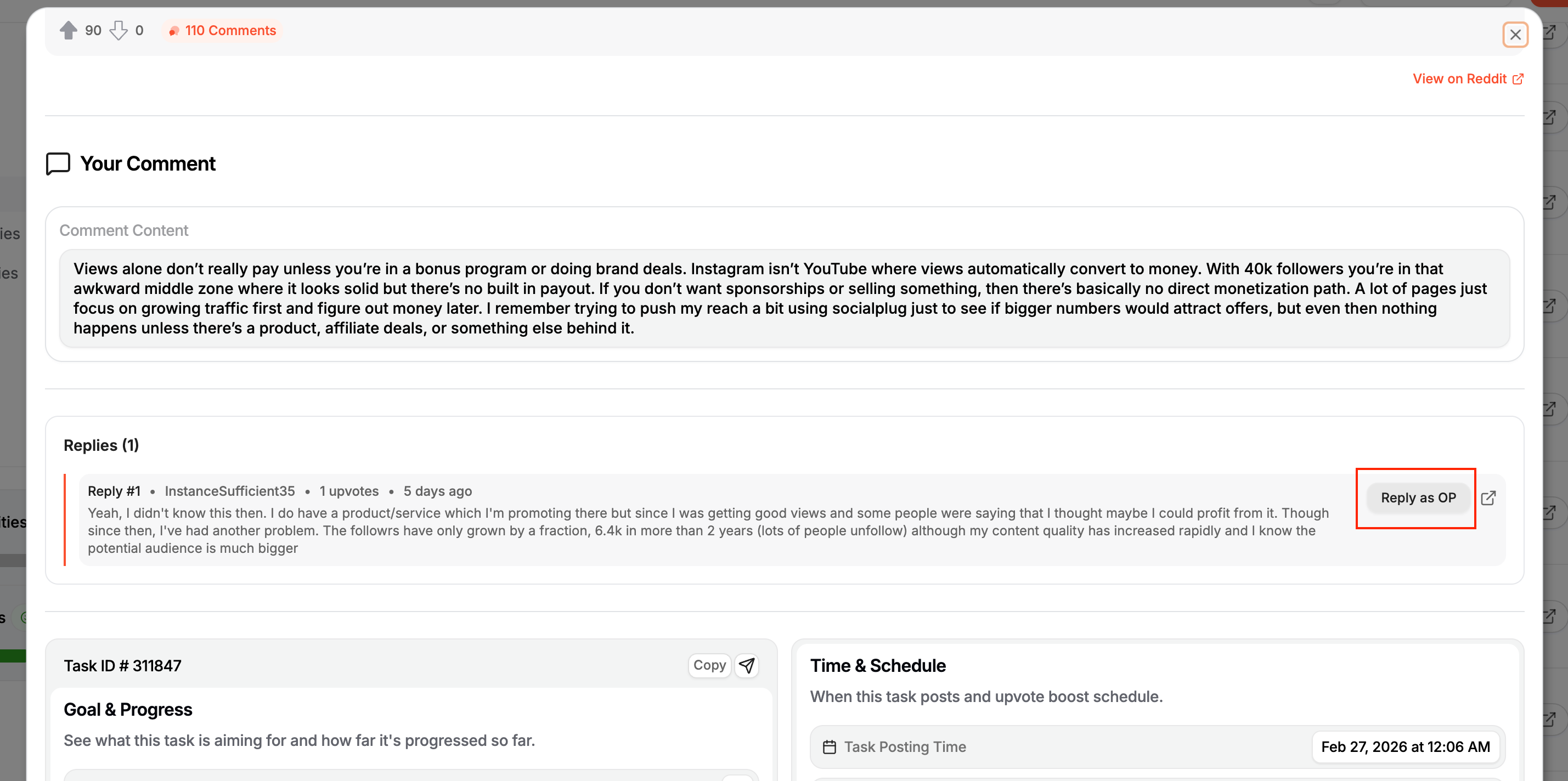
Your reply will be posted from the exact same account that made the original comment, keeping the conversation thread natural and consistent.
Why this is useful:
It makes the conversation look real because the same user is continuing the discussion
You can answer follow-up questions about your brand, adding more detail and credibility
It keeps the engagement going on the thread, which can help your comment stay visible and attract even more replies
It builds deeper social proof because it looks like a genuine back-and-forth conversation