Dedicated Accounts Update (28th of October 2026)
🚀 New Features
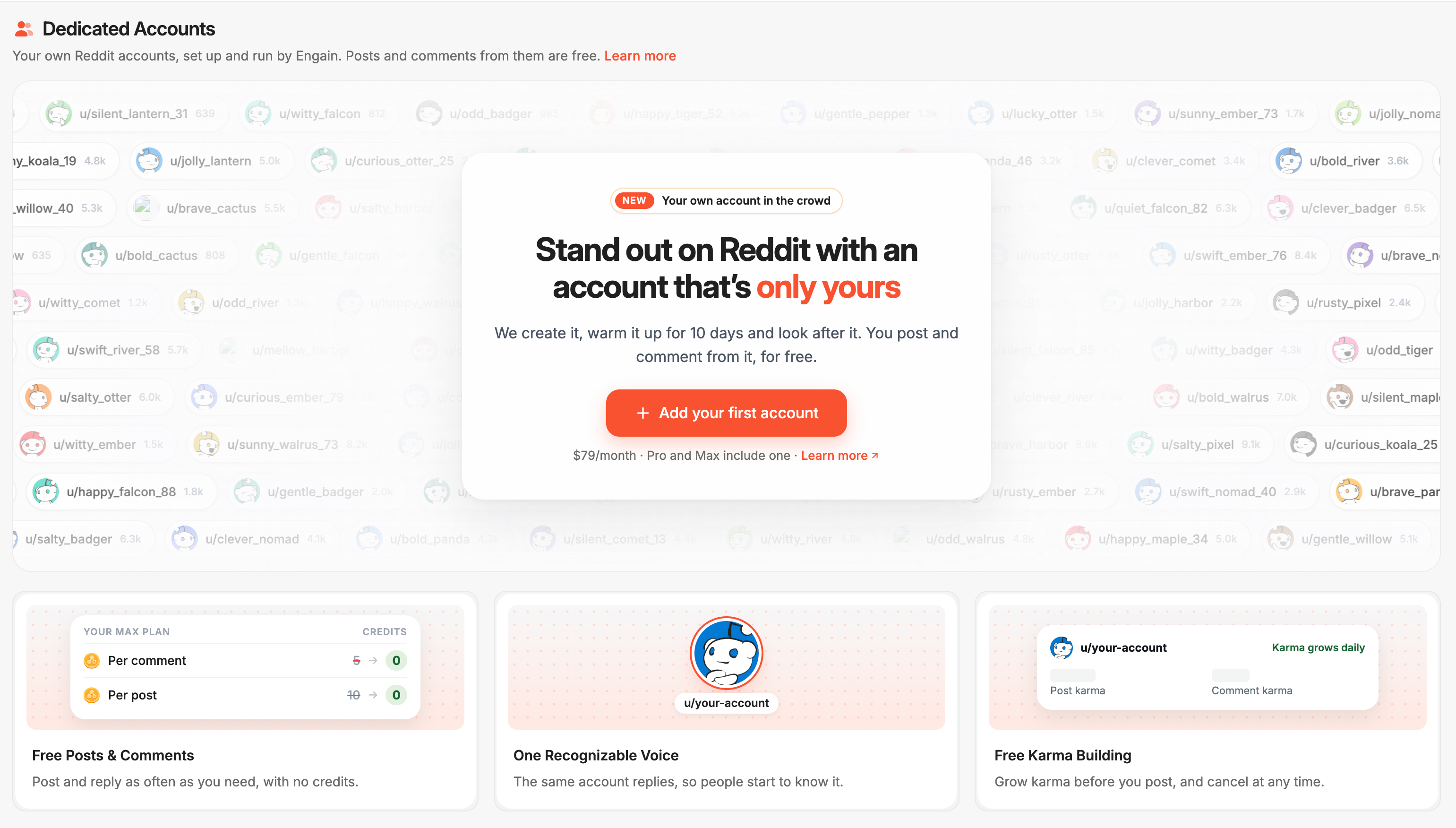
Dedicated Accounts: You can now get Reddit accounts that belong only to your brand. Engain creates each account, warms it up and looks after it, and you post through it. Learn more
Why use one:
Posts, comments and replies from a Dedicated Account don't use credits.
The account sticks to your topic and subreddits, so it looks like a real person. Over time, people in those communities start to recognise it.
That makes removals and bans less likely than with shared accounts, though not impossible.
It only posts for you, so your tasks never wait behind other customers' tasks.
How it works:
Go to Dedicated Accounts → Accounts and click Add account.
Choose Automatic, where we pick the topic and subreddits from your projects. Or choose Custom, where you set the topic, subreddits and profile yourself.
Pick which projects can use the account. It only shows up, and can only post, in those projects.
The account then warms up for 10 days. You don't need to do anything during this time. Its card shows the date it will be ready, and the handle reads "Pending username" until the account is assigned.
Once it's Active, pick it from the account dropdown in the Sandbox, Opportunities, Mentions, Smart Search or Saved Posts. Engain pool accounts are still listed there too, so you can use both.
Pricing:
Each account costs $79 or 79 credits a month, and the first month includes the warm-up.
Pro and Max plans include one account at no extra cost.
You can buy several accounts in one order. You get 10% off from 6 accounts and 20% off from 11.
You can hold up to 5 accounts on Starter, 10 on Lite, 20 on Pro and 50 on Max.
Billing:
Pay with your Default Card or with credits. You can turn on a fallback to the other method, and we'll let you know if a renewal was paid that way.
You can cancel or resume an account at any time.
Payments for your accounts appear in Settings → Billing history.
If an account gets banned:
If it never published anything, you can get a free replacement that keeps your remaining paid time, or a refund to your card or credits. Free replacements are limited each month.
If it had already published, you can buy a replacement at the normal account price.
Daily limit: To keep accounts safe, each one can post a set number of posts, comments and replies in any 24 hours.
Beta users: Beta Dedicated Accounts now use monthly billing. Nothing is charged unless you choose to keep an account. A banner on the Accounts page lets you pick which ones to keep before they end. On Pro and Max, your oldest beta account becomes your included account.
Coming soon: Karma building and a Messages inbox for your accounts
Engain API v2: Use /api/v2 to work with pool and Dedicated Account tasks in one API. POST /api/v2/tasks/comment and /post take an optional accountId. Without it, the task goes to the Engain pool as before. GET /api/v2/tasks lists both kinds, each marked postedFrom: pool or dedicated. Accounts are managed under /api/v2/accounts. /api/v1 doesn't change, and the old /api/v1/accounts-beta endpoints have been removed. Learn more
Scheduled Comment Edits: You can schedule an edit for a later date instead of coming back on the day. The edit can also be set up before the comment is live, and it runs once the comment is published. A scheduled edit shows as a blue "Edit" pill in Track Tasks. You can change it for free or cancel it for a refund.
✨ Improvements
Cancel Scheduled Tasks via API: POST /api/v1/tasks/:taskId/cancel now cancels scheduled tasks and the replies waiting on them, the same way the panel does, and refunds the credits. This works until 5 minutes before the scheduled time.
More Accurate Comment Metrics: Metrics for comments and replies deep in busy threads now update properly.
🐛 Bug Fixes
Ignored Subreddits: Posts from subreddits you ignore now disappear from New Opportunities straight away. They come back if you remove the subreddit from the list.
Credits Used: A task's "Credits Used" now includes charges and refunds from editing its upvote campaign.